

Maximize Your Online Visibility with SEMrush
Unlock powerful tools for SEO, content marketing, competitive research, PPC, and more—all in one platform.

Dominate Search in 2025 with SEMrush
Whether you're an SEO specialist, digital marketer, or business owner—SEMrush helps you rank higher, drive more traffic, and beat the competition with real-time data and automation.
-
All-in-One SEO Suite
Perform keyword research, audit websites, and analyze backlinks with ease.
-
Competitive Intelligence
Spy on competitors' strategies across search, display ads, and social media.
-
Boost Your Content Strategy
Create high-ranking content using data-backed SEO tools and topic research.
Advanced Keyword Research Tools
Identify high-traffic, low-competition keywords and track rankings to stay ahead in SERPs.
- Access global and local keyword data
- Analyze keyword difficulty and trends
- Track keyword performance over time

Site Audit & Technical SEO
Run in-depth website audits to identify issues that affect rankings and user experience.
- Fix crawl errors, broken links, and site speed
- Get actionable recommendations with priority levels
- Monitor site health with automated reports
Course Syllabus Overview
This is a brief overview of the syllabus. For more detailed information on each topic, please download the full syllabus.
Download Full SyllabusModule 1: Introduction to SEMrush & Account Setup
1.1: What is SEMrush
Overview of SEMrush’s features and benefits.
1.2: Creating an Account
Set up your SEMrush account and explore the dashboard.
1.3: Project Setup
Start a new project and configure basic settings.
Module 2: Keyword Research & Analysis
2.1: Keyword Overview Tool
Discover keyword volume, trends, and difficulty.
2.2: Keyword Magic Tool
Generate keyword ideas for SEO and PPC campaigns.
2.3: Keyword Gap Analysis
Compare your keywords with competitors.
Module 3: Site Audit & Technical SEO
3.1: Launching a Site Audit
Run a technical audit to identify site issues.
3.2: Understanding Audit Reports
Analyze errors, warnings, and notices.
3.3: Fixing Common SEO Issues
Learn how to resolve technical SEO problems.
Module 4: Competitor & Market Analysis
4.1: Domain Overview
Analyze competitor domains for traffic and keywords.
4.2: Traffic Analytics
Understand sources and trends of competitor traffic.
4.3: Backlink Analysis
Explore competitor backlink profiles and opportunities.
Module 5: Content Marketing & Tracking
5.1: Topic Research Tool
Generate content ideas and trending topics.
5.2: SEO Content Template
Create optimized content outlines.
5.3: Position Tracking
Monitor your keyword rankings over time.
Module 6: Reporting & Automation
6.1: Custom Reports
Build and export custom SEO and marketing reports.
6.2: Automated Alerts
Set up alerts for ranking or site changes.
6.3: Integrations
Connect SEMrush with Google Analytics and other tools.
Learning Support & Career Services
Enhance your learning with real-time help, regular assessments, and expert career guidance.

Live Doubt-Solving Sessions
Attend live Q&A and mentoring sessions to clarify your doubts in real time.

Assignments & Weekly Tests
Regular assessments to track your progress and reinforce learning.

Interview & Career Preparation
Personalized mock interviews, coding interview practice, and resume-building tips.
💥 Limited-Time Discounts on Tech Courses!
Grab your spot and save big on the skills that matter.
🎓 School Student Deal – 30% OFF
Get 30% off beginner-friendly coding, web, and STEM courses! Start your tech journey today.
Get Offer🏫 College Exclusive – 25% OFF
Advance your tech skills with 25% off specialized software and data courses built for college students.
Claim Deal👥 Group Deal – Save up to 40%
Join with 3+ friends and unlock up to 40% in savings! Study together, succeed together.
Join Now⚡ Flash Sale – 50% OFF (24 Hrs!)
Enjoy a massive 50% off any course for the next 24 hours. Don’t miss out!
Special offerSEMrush Interview Questions
Prepare for your digital marketing interview with in-depth SEMrush questions covering everything from keyword research to reporting and automation.
1.1 What is SEMrush, and how does it support digital marketing professionals?
1.2 What are the key features available in the SEMrush dashboard?
1.3 How does setting up a project in SEMrush help in campaign planning?
1.4 What is the difference between a domain and a project in SEMrush?
1.5 What are some key considerations when setting up an SEMrush account for a client?
2.1 What is keyword difficulty, and why is it important in SEO?
2.2 How do the Keyword Overview and Keyword Magic tools differ in functionality?
2.3 What is keyword gap analysis and how does it help in competitor strategy?
2.4 How can long-tail keywords be identified and used effectively in campaigns?
2.5 How do search volume and CPC metrics influence keyword targeting?
3.1 What common technical issues can SEMrush identify in a site audit?
3.2 How can site health score impact SEO performance?
3.3 What is crawlability and how does SEMrush assess it?
3.4 How can you use audit reports to prioritize SEO fixes?
3.5 What tools or features in SEMrush assist with resolving broken links or duplicate content?
4.1 How does SEMrush help identify your direct and indirect competitors online?
4.2 What insights can be gathered from domain overview reports?
4.3 How does traffic analytics help in analyzing a competitor’s marketing strategy?
4.4 What is backlink gap analysis and how can it shape your link-building efforts?
4.5 Why is it important to study competitor keyword rankings?
5.1 How does the Topic Research tool help in developing content ideas?
5.2 What is the SEO Content Template and how is it used?
5.3 How does position tracking help monitor keyword performance over time?
5.4 How does SEMrush assist in identifying trending topics for your niche?
5.5 What KPIs can be tracked through SEMrush to measure content marketing success?
6.1 How do you create a custom report in SEMrush, and what are its key elements?
6.2 What are automated alerts, and how do they help with campaign monitoring?
6.3 How does integrating SEMrush with Google Analytics benefit marketers?
6.4 How can scheduling reports improve client communication?
6.5 What are the key metrics to include in a monthly SEO performance report?
SEMrush Project Ideas
Hands-on SEMrush-based projects to help you master SEO analysis, content strategy, and performance tracking using industry-standard tools.
Competitor SEO Audit
Uncover SEO Opportunities – Evaluate Rivals and Improve Your StrategyAnalyze a competitor’s website, identify keyword gaps, and suggest actionable improvement strategies using SEMrush tools.
Content Optimization Plan
Craft High-Performing Content – Research, Outline & OptimizeUse SEMrush to research a keyword, then outline and optimize a blog post to increase visibility and engagement for the users.
Monthly SEO Report
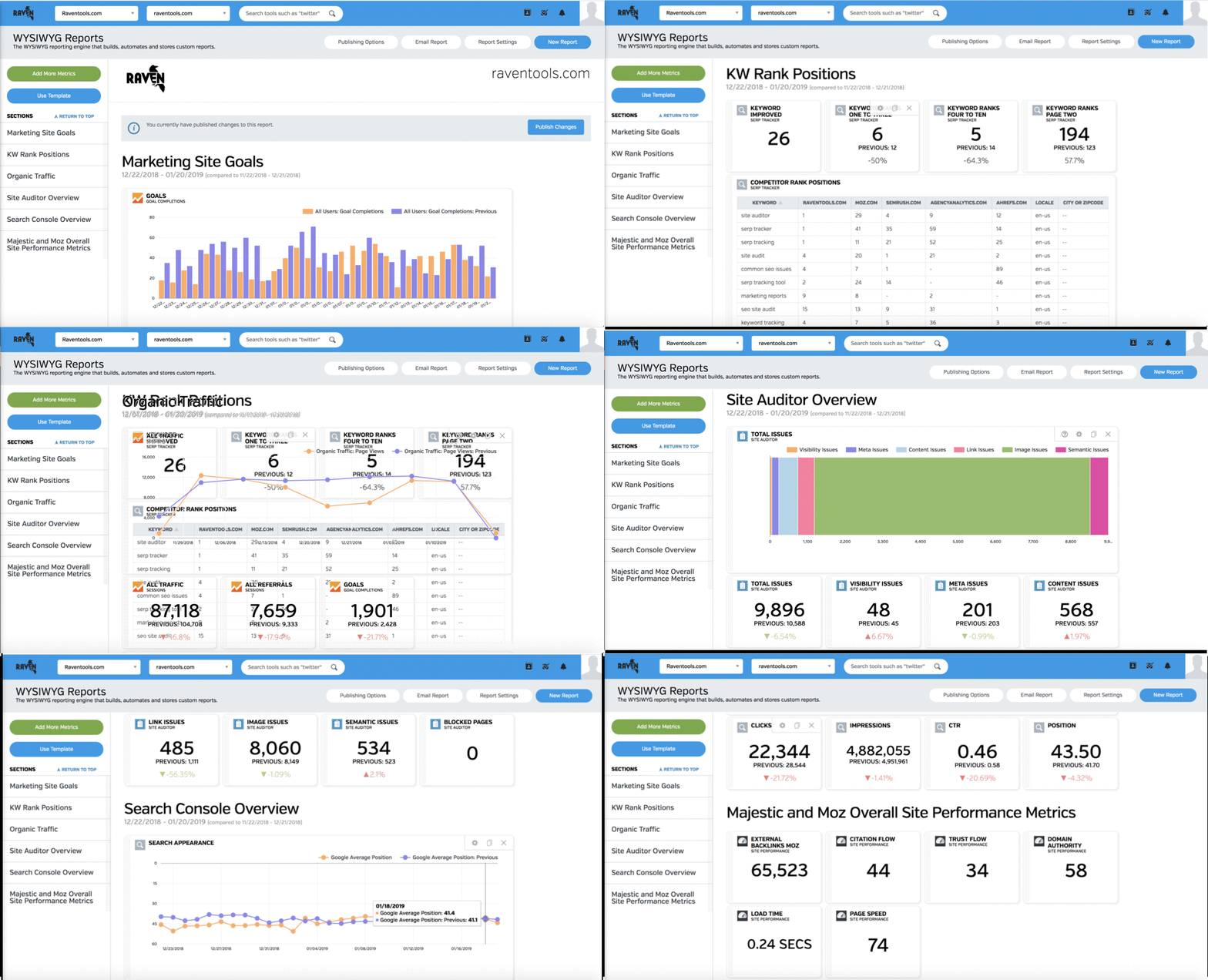
Track Progress – Analyze, Report, and Present SEO PerformanceCreate and present a comprehensive monthly SEO performance report for a sample website using SEMrush analytics.